

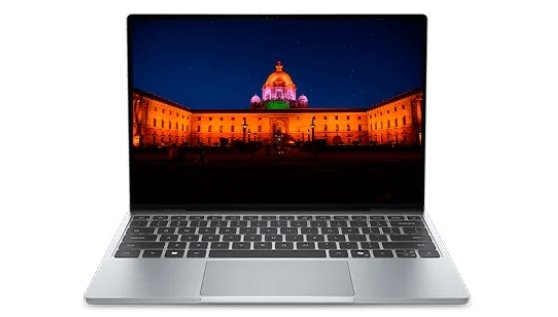
After a few quiet years, Dell has brought the XPS 13 back and this time it’s aimed squarely at your wallet. The Dell XPS 13 (2026) is being pitched as a real alternative to Apple’s entry level MacBook, with prices starting around $699 (just $599 if you’re a student). What’s surprising is that it’s also the thinnest and lightest XPS Dell has ever made, coming in at a mere 12.7mm thick and 1kg. Of course, a laptop this affordable has to cut corners somewhere, and we’re not going to pretend otherwise. So here’s an honest, category-by-category look at the Dell XPS 13 (2026) specifications pulled straight from Dell’s own spec sheet and backed up by hands on reviews so you know exactly what you’re getting before you spend your money.
| Brand Name | Dell |
| Model Name | XPS 13 (2026) |
| Model Number | DX13260 |
| Release Date | Launched June 2026 (entry Core 5 configurations went on sale that month; higher-end Core Ultra “Panther Lake” configurations followed later in the summer) |
Overview:
| OS | Windows 11 Home (Windows 11 Pro available for business buyers) |
| Display | Yes — 13.4″ 2.5K touchscreen, 120Hz |
| Connectivity & Ports | Wi-Fi 7, Bluetooth 6.0, 2x USB-C only (no HDMI, no SD slot) |
| Processor | Intel Core 5 320 (6-core, “Wildcat Lake”) |
| GPU | Intel Graphics (integrated, Xe3 architecture) |
| RAM | 8GB LPDDR5X (soldered, not upgradable) |
| Storage | 512GB PCIe NVMe SSD |
| Battery & Charging | 52Wh battery, up to ~17 hrs claimed, 65W USB-C fast charger |
| Camera | Yes — 1080p webcam + IR camera |
| Keyboard | Yes — backlit chiclet keyboard |
| Speakers | Yes — quad-speaker, 8W total output |
| pros | cons |
| Super thin and light (easy to carry) | Very few ports (just 2 USB-C, no HDMI, no SD card slot) |
| Looks and feels premium (metal body) | Basic graphics — not for gaming |
| Bright, sharp touchscreen with smooth 120Hz | Only 8GB RAM on base model, can’t upgrade later |
| Latest Wi-Fi and Bluetooth | Processor is entry-level, not super fast |
| Backlit keyboard included | Screen can be reflective in bright light |
| Good speakers for a thin laptop | Faster/better versions cost more and come later |
| Lower starting price for an XPS |
The Dell XPS 13 is a great option for students, office professionals, writers, programmers, and everyday users who want a lightweight laptop with a premium design. It’s a particularly good fit for people who care about portability, battery life, display quality, and a comfortable everyday experience rather than gaming or heavy performance.
If you’re planning to buy the Dell XPS 13, you can check online for the latest price, discounts, and offers, or visit your nearest Dell Store or authorized retailer to see the laptop in person before making your decision.