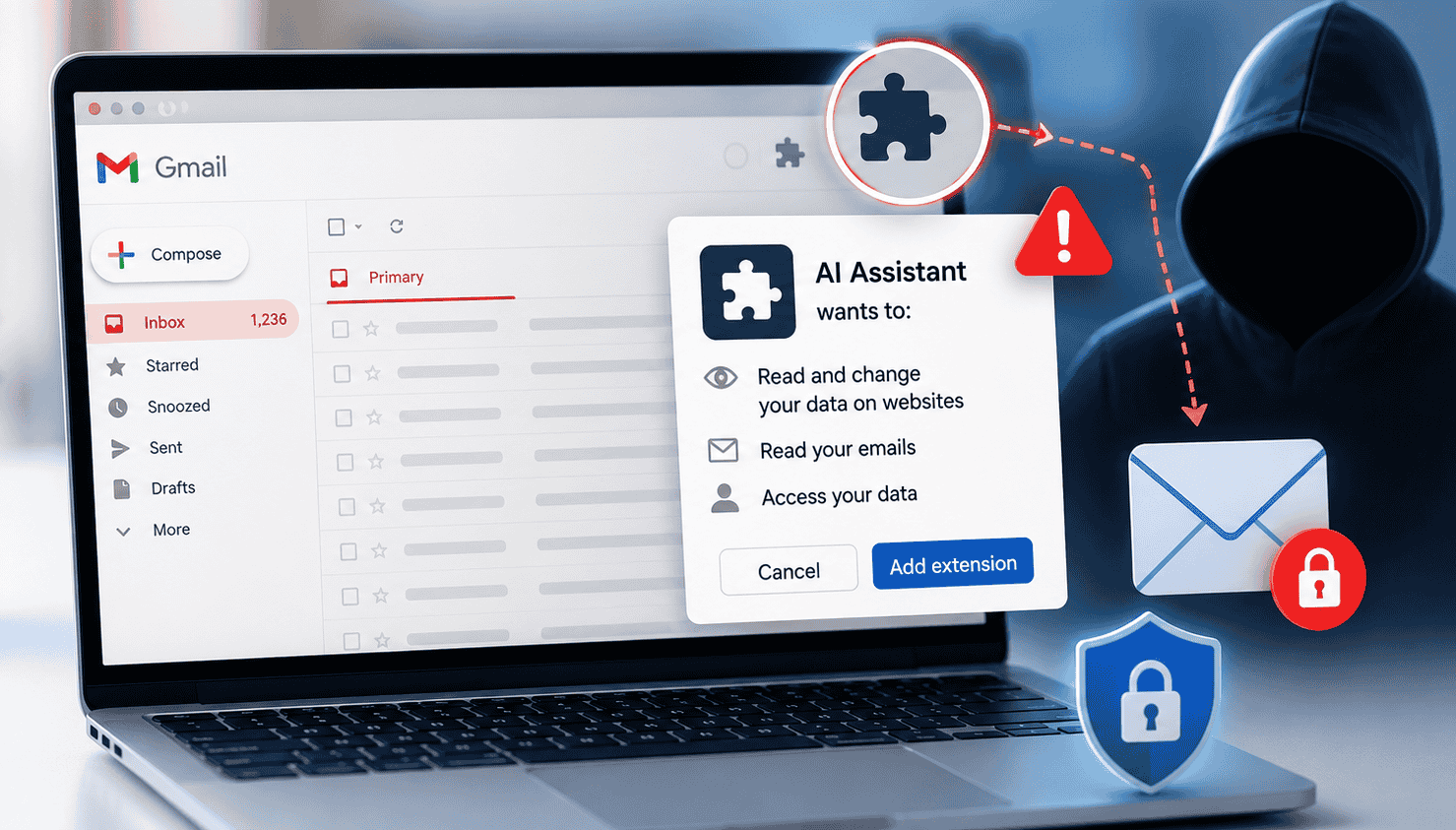

Free internet at cafes and airports is convenient. It is also usually unsecured. Most public hotspots run as open networks with zero passwords and weak encryption. Anyone sharing that network can intercept your data.Cybersecurity experts from India’s CERT-In and the US FTC constantly warn users about this threat. Criminals target these public spaces specifically. We are going to look at exactly how hackers exploit these networks and what you can do about it. Simple habits like firing up a VPN and sticking to HTTPS sites will drastically cut down your risk.
What is public Wi-Fi and why is it risky?
Public Wi-Fi networks are just open wireless connections in shared spaces. They rarely ask for a password. If they do use encryption, it is usually outdated junk. NIST points out that many public Wi-Fi hotspots… do not provide encryption. Attackers sharing your network can easily grab your data because of this missing security. A hacker sitting nearby at an airport can just fire up a network sniffer and watch everything you do. NIST warns that “an adversary can intercept information sent over the Internet” when you use these connections.
That means a stranger can steal your login credentials and personal photos without you ever noticing. Treat public Wi-Fi as hostile territory. It is fine for reading the news, but terrible for checking your bank account.
Common public Wi-Fi threats and attacks
Sniffing & eavesdropping:
Attackers run packet-sniffing tools to read your traffic on unencrypted connections. They watch the websites you visit and scrape your passwords right out of the air. NIST warns that attackers still see which domains you contact even if an app encrypts some of its own data. They can use that opening to mount a man-in-the-middle attack.
Man-in-the-middle (MITM) attacks:
A hacker wedges themselves between your phone and the Wi-Fi router. They relay messages back and forth, capturing every piece of data you transmit. Someone waiting for a flight at an unencrypted airport terminal is a prime target for these eavesdropping adversaries to steal their logins.
Evil twin / rogue hotspots:
Attackers boot up fake Wi-Fi networks using names that look legitimate. They will broadcast “CoffeeShop_Guest” to trick people looking for “Coffee_Shop_WiFi.” You hand the attacker total control of your internet traffic the second you click join. SafeWise calls this fake hotspot trick a “wolf in sheep’s clothing.”
Malware distribution:
Public networks constantly throw pop-up ads and forced redirects at you. Hackers hijack these to push fake software updates. Clicking one of these bogus prompts is usually enough to infect your laptop with ransomware.
Session hijacking:
Staying logged into an account gives hackers a target. Someone sharing the network can steal your session cookie and impersonate you entirely. The FTC says you should “log out when you’ve finished using a site” to kill off this risk.
Location tracking:
An attacker can scrape your device’s MAC address and location data because these networks lack basic encryption. They use those physical details to track your movements and target you weeks later.
Assume any unsecured public network is actively unsafe. Double-check the exact Wi-Fi name with the staff before connecting. As the FTC says, “Don’t assume that a public Wi-Fi network uses encryption… If you aren’t sure, assume the network is not secure.”
Is public Wi-Fi safe for banking or shopping?
No. Regulators strongly advise against making financial transactions on public connections. India’s CERT-In tells citizens to “avoid performing sensitive activities, like banking or online shopping, over public Wi-Fi networks.”
An intercepted credit card number leads straight to fraud. Stick to mobile data or boot up a VPN if you really have to check your bank account.
How to protect yourself on public Wi-Fi:
You don’t have to swear off public Wi-Fi completely. Just start using these habits.
Use a VPN (Virtual Private Network).A VPN builds an encrypted tunnel for your internet traffic. It shields your data even on wide-open networks. NIST recommends this so “all communication to and from [your] device is encrypted prior to leaving the device.” CERT-In gives the exact same advice. (Paid VPNs actually work, while free ones usually sell your data.)
Stick to HTTPS websites. Look for “https://” in the address bar before you type in any personal info. These sites encrypt your data end-to-end. NIST says HTTPS “helps maintain the privacy and integrity of data.” The FTC agrees and tells users to only log into secure sites that use that exact encryption standard.
Enable firewalls and antivirus. Turn your device’s built-in firewall on. Run a legitimate, updated antivirus program. These tools physically block bad traffic and throw warnings when you click dangerous links.
Turn off auto-connect and sharing. Shut down features like auto-join, Bluetooth file sharing, and AirDrop. Your phone will blindly connect to malicious hotspots if you leave auto-join running in the background.
Choose networks wisely. Pick networks that force you to type in a password over totally open ones. Look for connections tied to a real business. High-profile brands like Starbucks generally manage their network security a bit better than a random unbranded hotspot.
Avoid sensitive activities. The safest move is to avoid checking your bank balance or making purchases on public Wi-Fi. Do not email your Social Security number over these connections, even if the site claims it is secure. Flip off Wi-Fi and use your phone’s cellular data if you absolutely must check something sensitive.
Use strong, unique passwords and 2FA. Stop reusing passwords across different sites. A hacker who steals one login shouldn’t get the keys to your entire life. Turn on 2-factor authentication so attackers hit a brick wall even if they manage to grab your password.
Stay up to date and logout. Patch your operating system whenever an update drops. Tell your device to “forget” the Wi-Fi network the second you leave. That stops your phone from silently reconnecting to it tomorrow.
Combine these habits to strip back the risk of public browsing. One expert puts it nicely, saying that if the proper protections are in place, the convenience of public Wi-Fi “can be fully utilized with increased confidence.”
Public Wi-Fi safety in India:
India has thousands of public Wi-Fi hotspots scattered across railway stations and market squares. The government’s PM-WANI initiative is pushing free Wi-Fi access even further. That is great for connectivity, but users still need to pay attention to local warnings.
The National CERT-In constantly warns people about using these connections for financial transactions. Officials know that hackers camp on these networks to intercept unprotected traffic. They want your data and your money.Indian cybersecurity experts recommend aggressive basic hygiene. Ask the staff for the exact Wi-Fi name before connecting. Turn off your file sharing and bolt on a reliable VPN. Those two steps alone will keep you safer while you use India’s growing wireless infrastructure.
Common mistakes to avoid on public Wi-Fi:
Even deeply technical people make mistakes. Try to avoid these specific errors.
Auto-connecting to networks: Your phone probably tries to auto-join networks it remembers. Hackers exploit this by booting up rogue access points with familiar names. Force your device to forget public networks after you use them.
Falling for pop-ups: Never click unexpected software update prompts while on public Wi-Fi. It is almost certainly malware.
Using cheap or free VPNs: Free VPNs exist to log and sell your data. Pay for a reputable service if you actually want security.
Sharing sensitive data: Sending passwords through a chat app on public Wi-Fi is a terrible idea. Do not do it, even if you think the site is secure.
Skip those mistakes, and you wipe out most of the danger.
Free internet is incredibly convenient, but the security risks are real. You can beat eavesdroppers and fake hotspots if you take a few smart precautions. Run a VPN and force your browser to use HTTPS.Cyber experts repeat this advice constantly: “Secure Wi-Fi hotspots require a password. Secure websites start with https.” Stay alert. Keep your data locked down while you travel.